The new GitHub Copilot experience in Slack
The GitHub integration in Slack now brings the agentic capabilities of GitHub Copilot CLI and the GitHub Copilot app into Slack in public preview. You can work with @GitHub to… The post The new GitHub Copilot experience in Slack appeared first on The GitHub Blog.
Overview
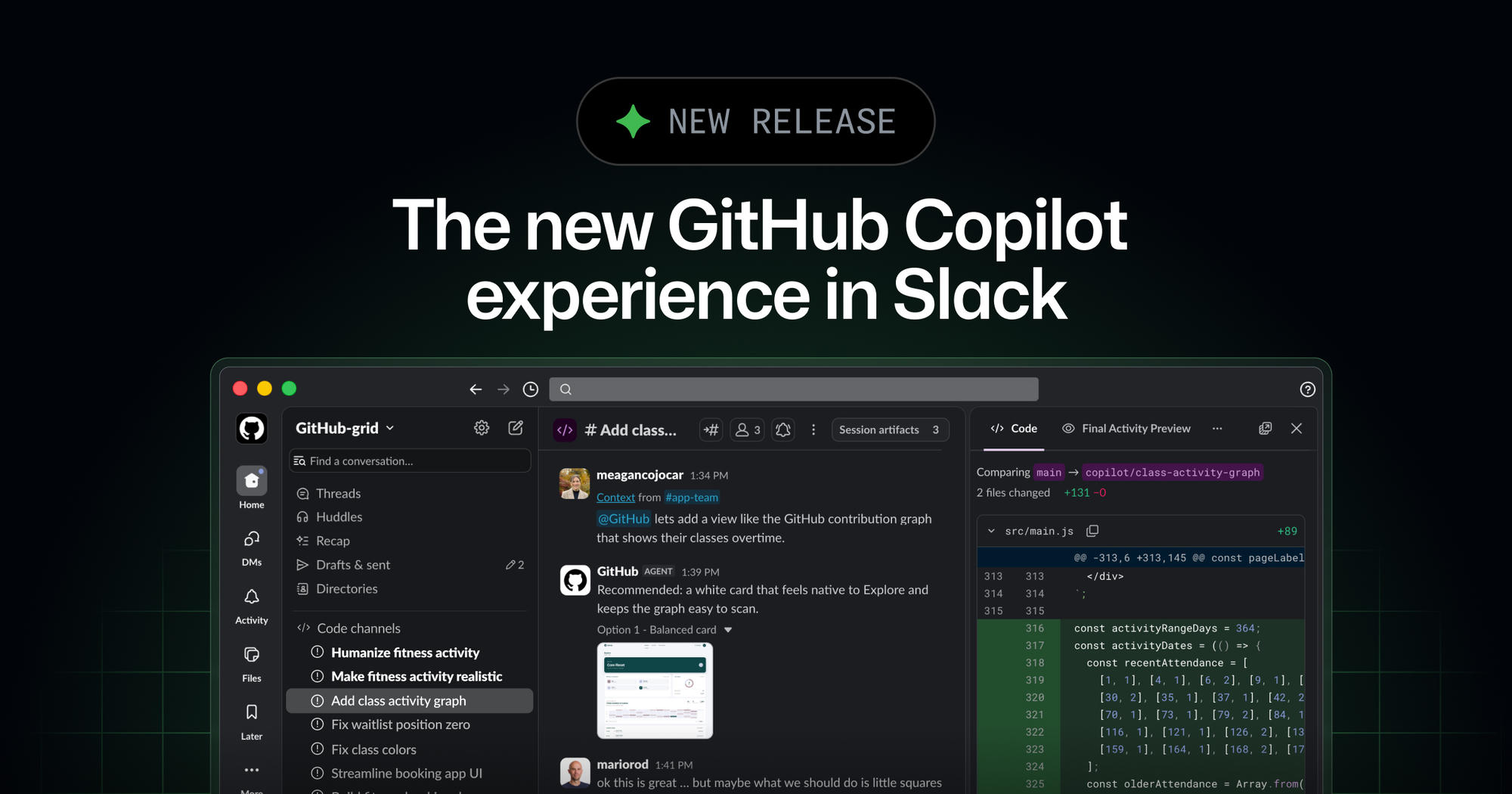
The GitHub integration in Slack now brings the agentic capabilities of GitHub Copilot CLI and the GitHub Copilot app into Slack in public preview. You can work with @GitHub to plan changes, investigate problems, and hand off coding tasks from the conversations where your team coordinates work. GitHub is also a launch partner for Slack Code, a new type of channel designed for agents.
Bringing Copilot into the flow of conversation helps your team turn shared intent into shippable work.
What you can now do with @GitHub
Mention @GitHub in a direct message, channel, or thread to start an agent session. Copilot can use the conversation and permitted GitHub context to:
- Answer questions about your code and GitHub activity.
- Triage bug reports, update existing issues, or create and label new issues.
- Investigate failures, implement changes, and validate its work in a secure cloud sandbox.
- Open a pull request and provide a link to the conversation for review.
GitHub Copilot continues working asynchronously while you’re in a meeting, commuting, or focused on something else. You can direct the session from Slack as it works, then continue from the pull request in your terminal, the GitHub Copilot app, or your IDE.
Slack Code and GitHub Copilot
GitHub Copilot can also create a dedicated code channel that keeps the task focused without adding noise to the original conversation.
Inside the code channel, your team can follow the plan, inspect the diffs, review output previews like HTML artifacts, and iterate with Copilot. Anyone can join the channel from the original thread, add context, redirect the approach, or stop the session.
The power of multiplayer
Agent sessions in Slack are shared, so your team can collaborate on the work where the request began instead of one person working privately with an agent.
Details
Working in the open also makes effective agent workflows easier to learn. Developers can see how their teammates prompt the agent and learn from each other. Issues and pull requests created from the conversation are attributed to the Copilot app identity, and actions remain bounded by existing GitHub permissions and controls.
Availability and getting started
The public preview is available to organizations on GitHub Copilot Business and GitHub Copilot Enterprise plans. Usage counts against your existing Copilot entitlements and can be managed with existing Copilot cloud agent budgets.
To get started:
- Make sure an administrator has enabled the Copilot cloud agent policy for your organization.
- Install or upgrade the GitHub app for Slack.
- Link your GitHub account and mention
@GitHubin a conversation.
Repository administrators can require an additional approval for any pull request attributed to the Copilot app identity before it can merge. Requiring an additional approval keeps a human in the loop before agent-authored work ships. Your team moves fast without losing compliance oversight.
For setup details and supported workflows, see how to use Copilot coding agent with Slack.
Cookie Preferences
The post The new GitHub Copilot experience in Slack appeared first on The GitHub Blog.
Source
Originally published at github.blog.