Enterprise managed settings in GitHub Copilot for JetBrains
GitHub Copilot for JetBrains now supports enterprise managed settings for plugin governance, MCP server access, OpenTelemetry, and permission modes. Administrators can now apply consistent controls for everyone on your enterprise’s… The post Enterprise managed settings in GitHub Copilot for JetBrains appeared first on The GitHub Blog.
Overview
GitHub Copilot for JetBrains now supports enterprise managed settings for plugin governance, MCP server access, OpenTelemetry, and permission modes. Administrators can now apply consistent controls for everyone on your enterprise’s Copilot plan.
Enterprise-managed plugin governance
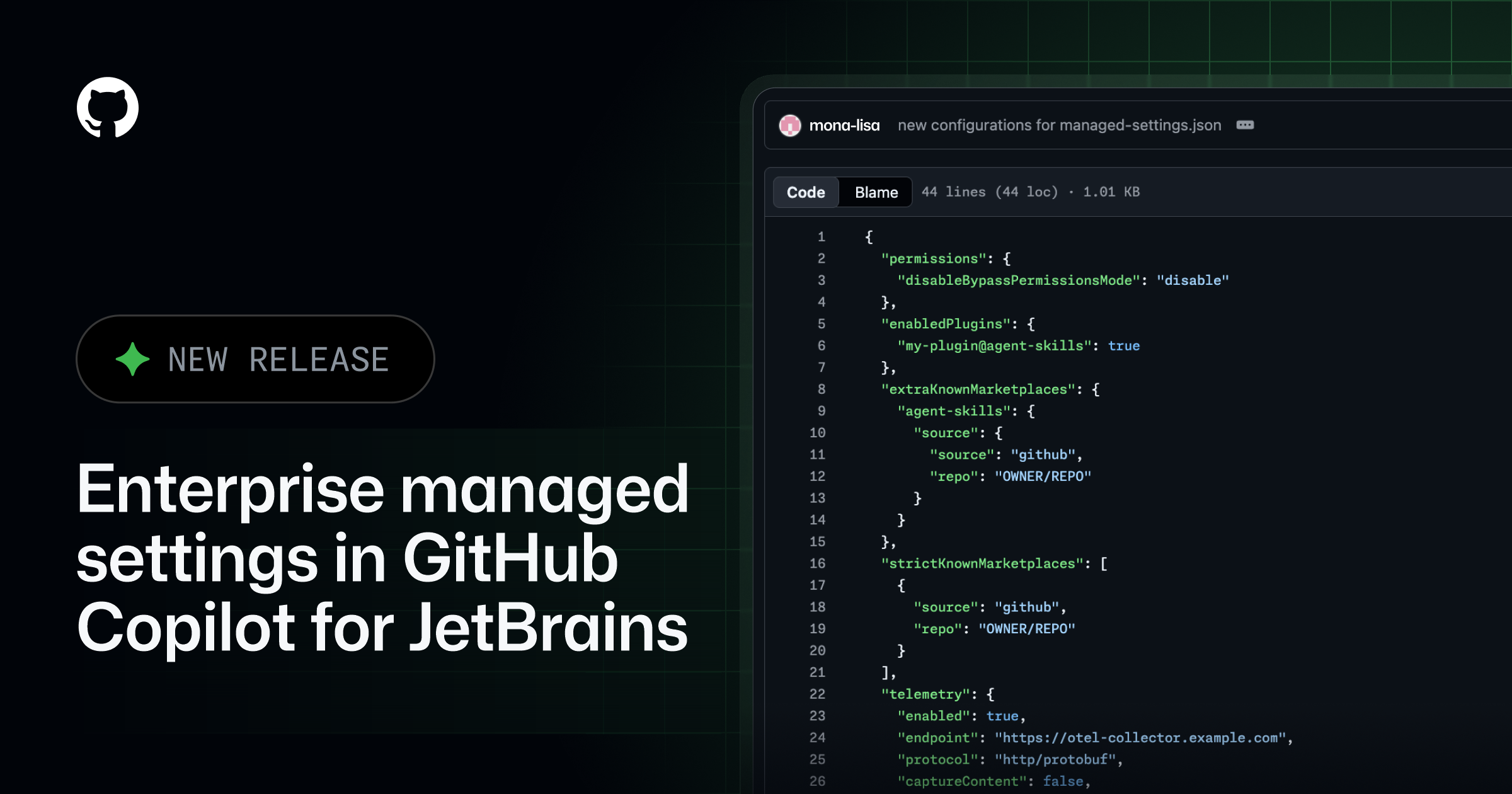
Administrators can manage Copilot plugins and their marketplaces in JetBrains IDEs. The supported settings provide three controls:
- Enabled plugins: Use
enabledPluginsto require a plugin to be enabled or disabled. - Additional marketplaces: Use
extraKnownMarketplacesto make approved plugin sources available. - Restricted marketplaces: Use
strictKnownMarketplacesto limit installation to approved sources.
MCP server allowlist
Administrators can use allowedMcpServers and deniedMcpServers to centrally control which MCP servers developers can connect to from GitHub Copilot for JetBrains. This brings centrally managed MCP governance into JetBrains IDEs and prevents connections to servers outside the enterprise allowlist.
Managed OpenTelemetry
Administrators can centrally configure OpenTelemetry for Copilot in JetBrains IDEs, including the collector endpoint, protocol, service name, resource attributes, and content-capture policy. Managed values take precedence over developer settings, so telemetry is consistently routed to the approved collector.
Details
Developers can review the applied configuration under Settings > Tools > GitHub Copilot > Chat > OpenTelemetry.
Organization-controlled permission modes
Administrators can set permissions.disableBypassPermissionsMode to disable to prevent the Copilot agent in JetBrains from using Bypass Approvals or Autopilot.
Try it out
Try the latest version of the GitHub Copilot plugin for JetBrains and share your feedback. For more details on enterprise managed settings, see enterprise managed settings reference.
Share your feedback
Your feedback drives improvements. We’d love to hear about your experience in the following channels:
- In-product feedback: Use the feedback options within your JetBrains IDE.
- Feedback repository: Share your experience in the Copilot IntelliJ feedback repository.
- GitHub Community: Join the discussion in GitHub Community.
Cookie Preferences
The post Enterprise managed settings in GitHub Copilot for JetBrains appeared first on The GitHub Blog.
Source
Originally published at github.blog.